Assignment
Tables exercise 3
Tables exercise 3
Completion requirements
View
Make a submission
Receive a grade
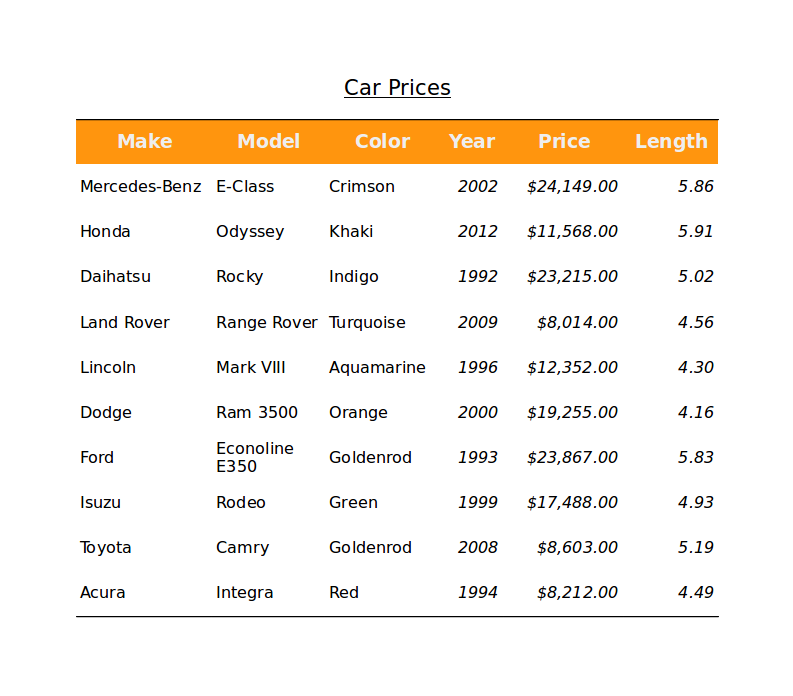
In tables it's very important to style them nicely so they are readable. In this exercise you will create, and format a table with a list of cars. Your goal is to create a table like the image shown below. You can download the image for better viewing.
Instructions
- Open the file tables-ex-2-start.odt. You will work in this document.
- Create a table from the formatted data inside the start file. Use the Convert Text to Table command. The columns are separated with tabs.
- Format the text inside the table: Font type, cell alignment, data format
- Format the header row: Font color, background color
- Format the table: borders bottom and up, resize, distribute rows evenly
- Save your file and submit.
- 11 November 2017, 9:07 PM
- 11 November 2017, 9:05 PM